
Free TCG price label printing.
Built for card-show vendors.
ShadowTag turns the collection you already track into printed price labels from your iPhone. Import your file, keep the prices you chose, add your logo and QR code, and batch-print the cards that need labels.
Stop writing prices twice
You already priced the inventory at home. ShadowTag moves those numbers from your file onto the cards without another lookup or a night with a marker.
Print only what changed
New, Changed, and Printed filters surface the cards that actually need a label before the next show.
Keep the booth moving
Visible prices remove a lookup and a negotiation from every customer interaction at the table.
Import, price, print.That is the whole workflow.
ShadowTag is the last step between the inventory file you already maintain and the cards on your table. It is focused label-printing software, not another POS or inventory subscription.
Use the collection you have
Import files from ShadowWave, ShadowSnap, Collectr, TCGplayer and other scanning apps, or share a compatible CSV from Mail or Files.
Round prices your way
Create price bands once and apply your preferred rounding rules across the collection without replacing the prices in your source file.
Reprint the movers
Import a fresh export and filter to cards that are new or whose prices changed since their last label.
Put your booth on the label
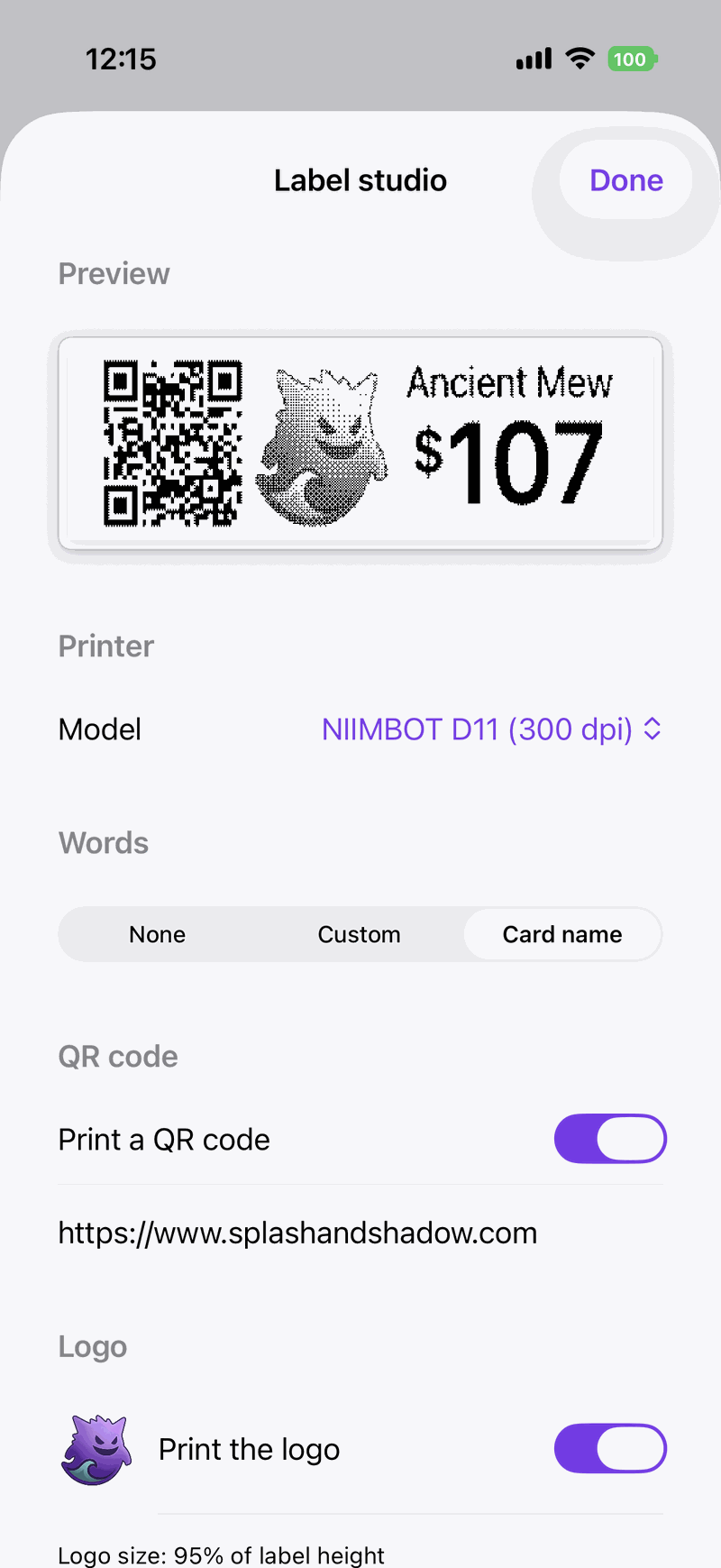
Add a logo, card name, price, and a QR code pointing to your shop or social profile.
Connect over Bluetooth
Use a supported NIIMBOT D11/D110 or Nelko P21 printer, check the connection, and run a test label before the show opens.
Print while you set up
Select the cards, preview the run time, and batch-print the quantities carried over from your inventory file.
A real workflow for real inventory.
Import the file, set the pricing rules, and send the labels to the printer without moving your collection into another platform.
Bring in the file you already keep
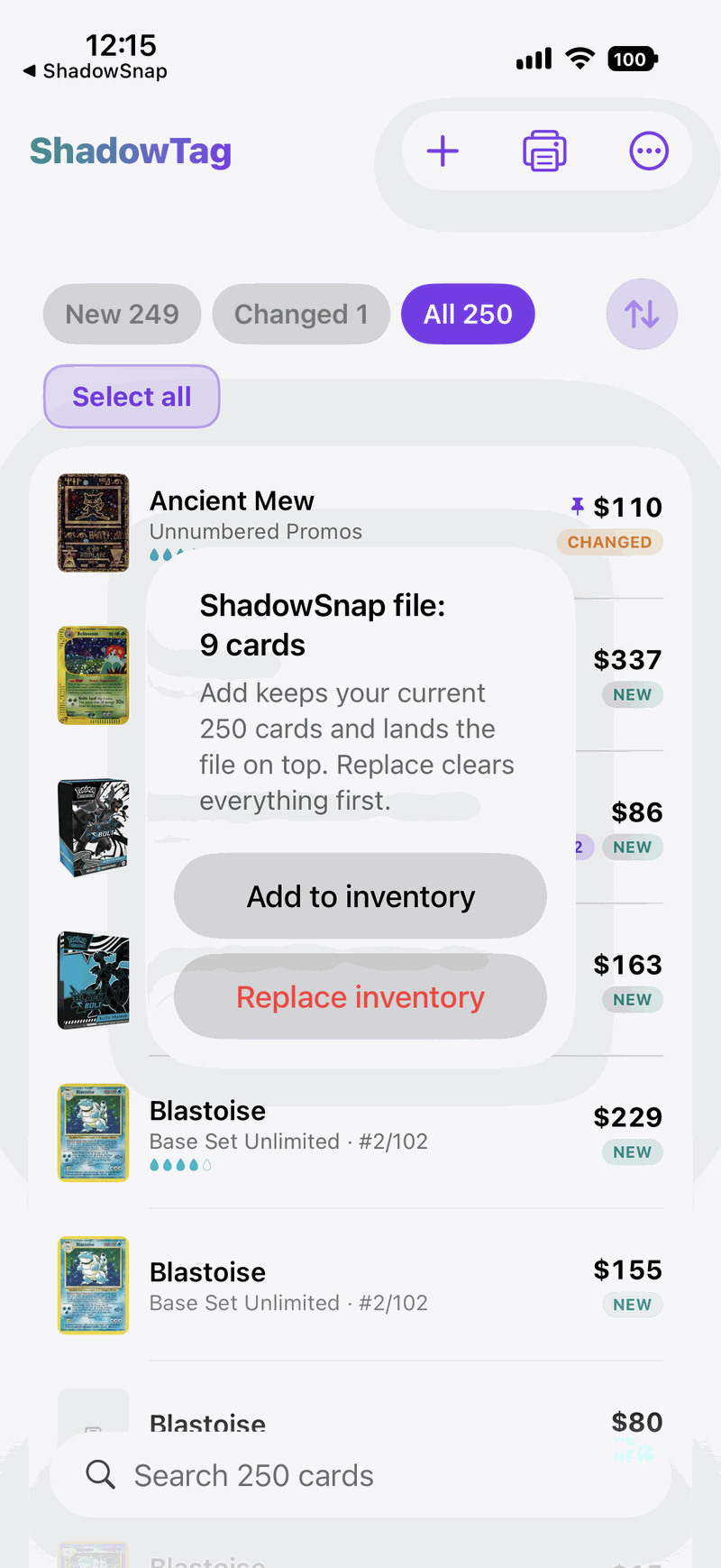
ShadowTag reads common TCG inventory exports and preserves the prices you chose. Add the rows to your existing list or replace the list with a fresh export.
- Imports from ShadowWave, ShadowSnap, Collectr, TCGplayer and other scanning apps
- Compatible CSV files shared from Mail or Files
- No account or cloud upload required
Batch-print what the table needs
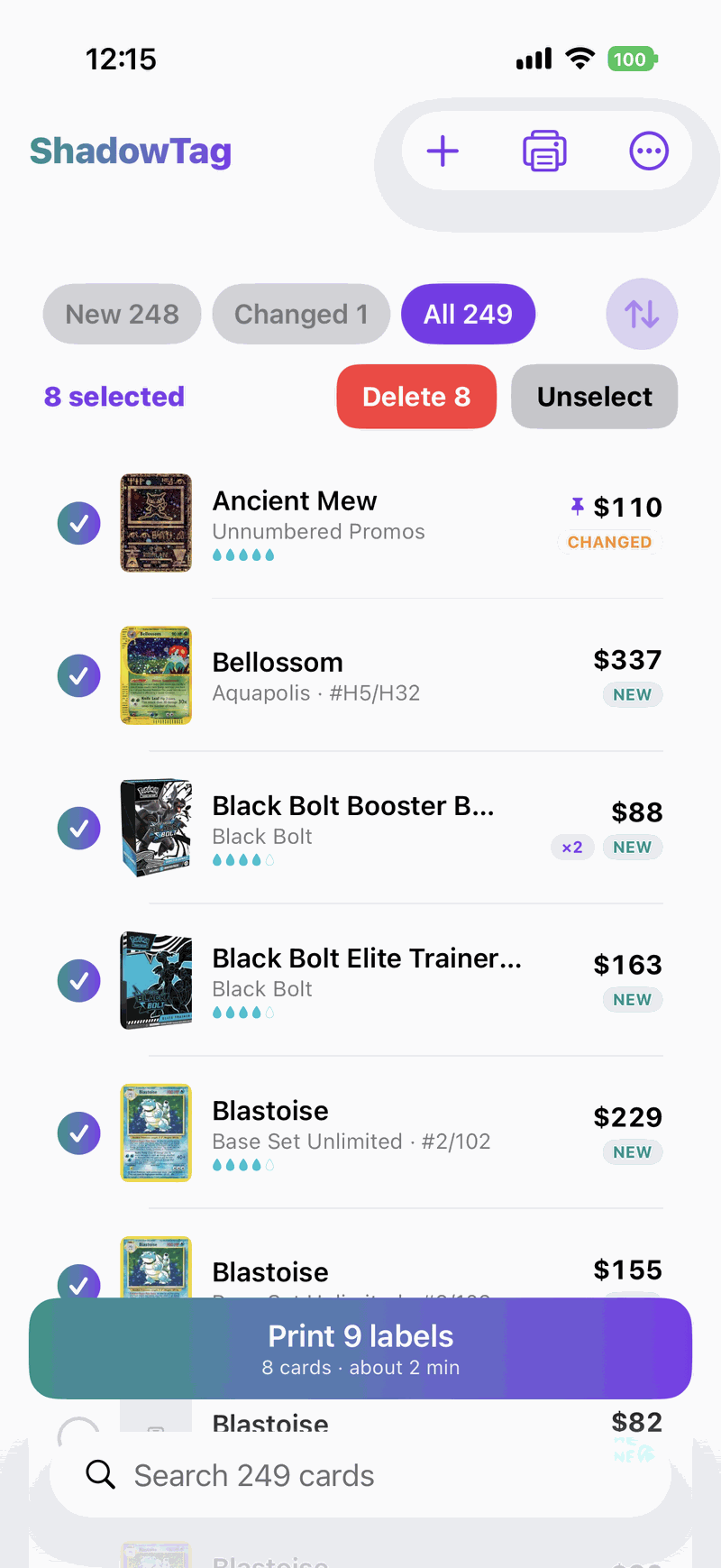
Filter to new or changed cards, select the labels, and see the estimated run time before printing.
- New, Changed, Printed, and All inventory states
- Quantities carried through from your file
- Printer test before committing a batch
Your file. Your prices. Your phone.
ShadowTag uses the prices in the file you import. The app does not require an account, upload your inventory, or replace your pricing with a live lookup.
Free. Forever.
Just a vendor helping other vendors. No subscription, no account, no trial that quietly ends, and no upsell three screens in. Buy yourself a printer for under $30, load whatever compatible labels you like, and that is it.
- Printer
- Yours to keep. NIIMBOT D11 or Nelko P21.
- Labels
- Any compatible roll. Buy refills wherever they are cheapest.
- Printer
- CardForge-compatible printer required for its label workflow.
- Labels
- CardForge refill packs are sold through CardForge. Full comparison.
- Printer
- NIIMBOT D110, Phomemo D30, or Nelko P21 supported.
- Labels
- Standard compatible rolls. Label printing is a Pro feature. Full comparison.
Pricing checked October 2026. CardForge and DeckTradr include broader feature sets; this compares the cost and hardware choices for TCG label printing, not every feature in each product.
ShadowTag FAQ
Is ShadowTag really free?
Yes. ShadowTag is free forever with no subscription, account, trial, or paid label-printing tier. We looked for something to charge for and didn't find it.
Which label printers work with ShadowTag?
ShadowTag supports NIIMBOT D11 and D110 printers and the Nelko P21 over Bluetooth.
Can I import my existing TCG inventory?
Yes. ShadowTag imports supported exports from ShadowWave, ShadowSnap, Collectr, TCGplayer and other scanning apps, plus compatible CSV files.
Does it work without internet?
Yes. Your inventory, pricing rules, label designs, and printing workflow stay on your iPhone. Convention hall dead zones are somebody else's problem now.
Is ShadowTag a POS or inventory platform?
No. It is a focused last-mile label-printing app that works with the inventory file you already maintain.
Where can I download ShadowTag?
ShadowTag is a free download on the Apple App Store, listed as "ShadowTag: Easy Label Printer". The download button at the bottom of this page takes you straight there.
Learn the workflow before your next show.
Practical setup guides and fair comparisons for card vendors choosing a label-printing workflow.
Print the labels. Skip the subscription.
Download ShadowTag on your iPhone, import the inventory you already keep, and start printing.